

these addons will truly help you get stuff done, no excuses. you press a button and you get a render in no time, from typography addons, cloth simulation, crowds and more, so let’s see what we have.
Textpro

https://superhivemarket.com/products/textpro?ref=311
let’s start with text pro. blender could be an incredible motion design tool, competing with the likes of after effects and unreal engine if it wasn’t for its lack of text and typography tools. all you really get out of the box is a text object with font options, nothing more. for anything beyond that, you can wait for the upcoming text animator in blender 5.2 and hope it’s good enough, but if you want to get things done right now, textpro is the way to go. it supports different writing styles including asian characters, arabic letters and more, and the materials and designs are also just amazing. it’s not like a tool in the regular sense but more of a library of templates, so you choose what you like, select the animation style, material, change the text, and you can render.
Shoot-It

https://superhivemarket.com/products/shoot-it?ref=311
these seemingly simple animations made with shoot-it are almost impossible to make in blender without addons. not because blender can’t do them, but because there are no tools for it. blender is like having all the parts of a car in a garage but without the tools to put it together. in this case, shoot-it assembles everything you need to make these animations, from rbd emission to physics-driven setups. blender has a physics system for this, but no particle system that emits physics objects, and that’s part of what this addon gives you. it brings realtime object instancing with physics, randomization, and custom controls.
Projection Modeling

https://superhivemarket.com/products/projection-modeling?ref=311
box modeling works about 90% of the time, but that 10% when it doesn’t can break you. for those who don’t know, box modeling is just the traditional way of modeling in blender—extruding, subdividing, and moving faces and polygons around. it works for most cases, but sometimes it’s easier to use other techniques like projection modeling. here, curves are used to shape the model. you create different silhouettes from multiple angles of the model you want, and the addon calculates the final shape from them. it’s non-destructive, so you can always go back and tweak things. it’s an amazing way to make hard surface models, robots, or anything with smooth surfaces.
Surfaceflow - Realtime Surface Deformation

https://superhivemarket.com/products/surfaceflow?ref=311
another great tool for modeling things that would be too complicated the traditional way is surface flow. this is basically a more advanced shrinkwrap and bend modifier. it can wrap an object around another completely, unlike shrinkwrap which just projects directly along normals and can break when the object is too large. this also preserves volume, so your mesh doesn’t collapse flat onto the surface. it’s perfect for decals, labels, hard surface work, and more.
Camera Tracker 5 (New Update!)

https://superhivemarket.com/products/camera-tracker?ref=311
if all you need is tracked footage where you can add cgi into the scene, camera tracker 5 is all you need. tracking points are added automatically, it can handle long shots, doesn’t get confused when objects obstruct tracking points, and can also do object tracking, scene reconstruction, masking, and more. it’s also one of the cheapest camera trackers out there that isn’t subscription-based. if you’re thinking about the one that comes with blender, it doesn’t come close—no auto tracking, struggles with obstacles, and the list goes on.
Divine Cut | Smart Cloth Generator V4

https://superhivemarket.com/products/divine-cut-smart-cloth-generator?ref=311
this one is for character designers and fashion lovers. i love it when addons just keep getting better after you buy them, and divine cut has been that addon. more features, more assets, it just keeps growing. it was already a step up for designing clothing in blender, kind of gamifying the process by removing the unpredictable nature of cloth simulation. it uses tools similar to marvelous designer, like realtime cloth adjustments and pattern design. plus, there’s a massive library of garments and accessories you can attach, so you’re basically designing a seamless character while still getting realistic wrinkles and physics.
true image editor

https://superhivemarket.com/products/true-image-editor?ref=311
if you want to add labels, text, or edit textures a bit, blender isn’t great at that. in fact, it doesn’t really have a proper image editing workflow. the true image editor is a simple fix. you can drag images into the editor, crop them, mask them, tile them, and bake everything into a single texture. it makes working on detailed assets like buildings much easier.
Icrowds

https://superhivemarket.com/products/icrowds?ref=311
i love icrowds for its ragdoll physics tools. you can already create crowds with geometry nodes, but ragdoll physics is on another level. you can make characters fall realistically, have objects crash through crowds, zombies fall off cliffs, or trigger hundreds of people collapsing at once. on top of that, it’s a full crowd simulation tool with a library of animated characters you can place in streets, stadiums, or just roaming around your scene.
Boxcutter 26 : Stiletto
https://superhivemarket.com/products/boxcutter?ref=311
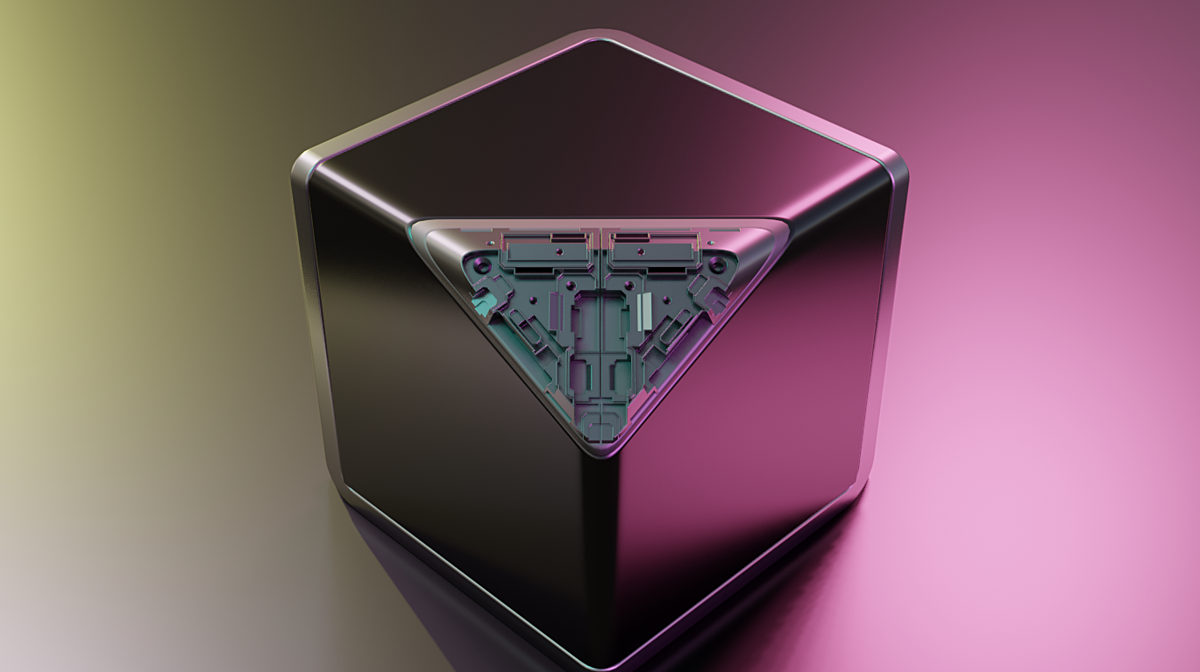
another great one is boxcutter. this is a non-destructive modeling tool that adds a full package of tools for cutting, slicing, and editing polygons at another level. what makes it powerful is how easy it is to add detail without doing too much work. and if you want your models to stand out, detail is everything.
RealUI Buttons
https://esmiles.gumroad.com/l/iiihf/
this is something i’ve been working on myself, and it’s all about fixing one of blender’s biggest issues—the hidden workflows. there are so many powerful operators buried behind menus and shortcuts that most people never discover. realui buttons brings them right into the viewport and node editor with a floating interface, so instead of remembering shortcuts, you just click and go. it also doubles as a playground for generators, things like roads, rain, wires, doors and more, so you’re not just speeding up workflow, you’re also skipping the boring setup stage and getting straight into creating.
and that’s really what all these addons are about. blender already has the power, that’s not the problem. the problem is access, speed, and usability. these tools close that gap, turning blender from something you wrestle with into something that just works when you need it to. so whether you’re doing motion graphics, simulations, modeling, or just trying to get a render out faster, these are the kinds of tools that make the difference between thinking about an idea and actually finishing it.