


# Unreal Engine 5+ vs Blender 5+: Where Each Tool Actually Wins in 2026
Unreal Engine 5 just hit 5.8 and Blender is at 5.1, and both have changed so much that the old take of "Unreal for games, Blender for everything else" does not really hold up anymore. I wanted to go through the specific tools that actually overlap and talk about where each one wins, because the answer is not as clean as people make it sound online.
---
## Geometry Nodes vs PCG Framework
Let's start with Geometry Nodes versus the PCG Framework because this is the comparison I see people get wrong the most. Geometry Nodes is for building things procedurally. You can generate entire building facades from a few parameters, scatter forests where every tree varies in height and shape, create road networks, rock formations with erosion, modular kits where every piece snaps together. We have all seen the addons — City Generator, iCity, Nature Generator, Flex Building — there are hundreds of examples out there.
https://cms-assets.unrealengine.com/AiKUh5PQCTaOFnmJDZJBfz/cmqh6t9yt5cqr07ogm1zz77r2
*Procedural Northern European town built entirely in Geometry Nodes — Blender 5.0*
PCG Framework in Unreal is not the same thing. It takes assets and scatters them across massive worlds at runtime with biome rules, density controls, and non-destructive editing. As of [UE 5.7](https://www.unrealengine.com/en-US/blog/unreal-engine-5-7-is-now-available) it is production-ready with a new Editor Mode that lets you place procedural content directly in the viewport.
The real insight is that most pipelines use both. You build the assets in Geometry Nodes, export them, then let PCG handle world-level placement. Tools like [AlterMesh](https://www.unrealengine.com/marketplace/en-US/product/altermesh) and [Geometry Nodes Bridge](https://github.com/lassiiter/blender-geometry-nodes-to-unreal) even let you run Geometry Nodes setups inside UE5 without baking. They are not competitors. They solve different parts of the same pipeline.
---
## Rendering: EEVEE vs Lumen
Next is rendering, and this is where opinions get spicy. There is a lot of technical jargon thrown around — Lumen, screen space reflections, global illumination — but the honest take is simple: Lumen is what we expected EEVEE to become, and it is not. EEVEE is a rasterization engine with baked approximations. It looks good for stylized work and quick previews. Lumen does real light bounces in real time with dynamic reflections, and combined with Nanite letting you throw film-quality meshes at it without worrying about polygon counts, the results are something that would have been impossible in a real-time viewport five years ago.
The catch is hardware. Lumen eats GPUs for breakfast. EEVEE runs on almost anything.
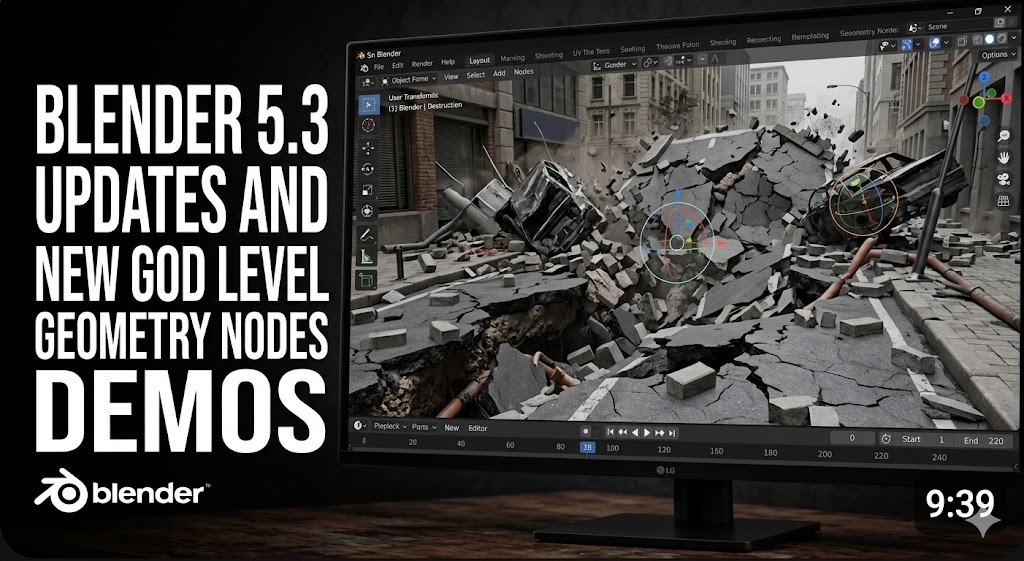
But here is the thing that might change the whole conversation: NVIDIA's [DLSS 4.5 Ray Reconstruction](https://www.nvidia.com/en-gb/geforce/news/computex-2026-nvidia-geforce-rtx-announcements/) is coming to Blender 5.3 this fall. It uses a neural network to reconstruct clean images from noisy path-traced samples, making the Cycles viewport feel interactive for the first time. You move the camera and see near-final quality in real time. It is not doing the same thing as Lumen technically, but it closes the gap in terms of what the artist actually experiences.

*NVIDIA confirmed DLSS 4.5 Ray Reconstruction is coming to Blender Cycles in 5.3*
And that matters because Lumen has already started a real shift in the animation industry. Studios are moving from Blender, Cinema 4D, and Maya straight into Unreal for rendering. [Rotor Studios](https://www.unrealengine.com/en-US/spotlights/rotor-studios-switches-its-automotive-visualization-pipeline-to-ue5) moved their entire automotive pipeline to UE5. Nickelodeon built [Max and the Midknights](https://www.unrealengine.com/en-US/spotlights/max-and-the-midknights-nickelodeon-creates-a-stop-motion-animation-look-with-ue5) entirely in Unreal with ten artists working in a single project. When real-time rendering gets good enough, people stop waiting for renders.
---
## Physics and Simulation
The physics and simulation side is where things get really interesting right now. Unreal has Chaos Physics which handles rigid body dynamics, destruction with pre-fractured geometry, soft body simulation through Chaos Flesh, and ragdoll physics that works at runtime. In version 5.8 they added Control Rig Dynamics which layers procedural physics on top of character rigs so tails, ears, hair, and clothing get secondary motion without replacing your existing animation setup.
Blender is tackling the same problem differently with the new XPBD solver that landed as experimental in 5.2. It sits inside Geometry Nodes and does cloth simulation, hair simulation, and basic particle physics. You can add it to any mesh and get cloth behavior with pinning, stretch, and tearing. It is still missing self-collision and is explicitly experimental so expect things to break, but the direction is clear — Blender is building physics into the node system rather than keeping it as a separate modifier.
The difference right now is that Unreal's physics ships in games and Blender's is still cooking.
---
## MetaHuman vs Blender Character Addons
Let's also talk about plugins like MetaHuman for Unreal versus addons like Human Generator for Blender, because character creation is one of the most expensive parts of any animation or game project. The tool that makes it easy and fast is going to win over a lot of artists. Blender does not have a built-in character creator. All of your options are third-party addons, and most of them are paid.
Human Generator Ultimate is the most popular one at around sixty-eight bucks — it generates realistic humans with hundreds of morphs, comes rigged with facial blend shapes, includes 8K textures, hair, clothing, and a pose library. It does the job and it has a big user base. There are also free options like MB-Lab which is open source but has been archived and is no longer actively maintained, and [MPFB2](https://github.com/makehumancommunity/mpfb2) which is the modern free alternative built as a Blender addon with deep customization and procedural skin generation.
These are viable tools, especially for indie work and prototyping, but honestly none of them are at MetaHuman's level yet. MetaHuman gives you photorealistic digital humans with a facial rig that drives over 130 morph targets, the Mesh to MetaHuman feature now converts any human mesh into a fully rigged character as of 5.8, and MetaHuman Animator handles facial performance capture.
The quality gap is real. The tradeoff is that MetaHumans live inside Unreal. You can export them to Blender using the [DNA Add-On](https://yelzkizi.org/export-metahuman-to-blender/) to preserve facial rig logic, but once you try to use them outside the ecosystem it gets messy. So the choice comes down to this: Blender's addons give you portable characters you own and can take anywhere, but you are paying for convenience and doing more manual polish. MetaHuman gives you higher fidelity and a production-grade pipeline, but you are locked into Unreal. For studios making games in UE5, MetaHuman is the obvious pick. For indie creators who need characters that work across different engines and projects, the Blender addons are the pragmatic choice even if the end result is not quite as polished.
---
## Grease Pencil: Blender Wins by Default
Grease Pencil versus Unreal's 2D tooling is not really a competition. Blender's Grease Pencil is a mature system where you draw directly in the 3D viewport, combine hand-drawn strokes with 3D geometry, animate, and render. It is used in professional productions for storyboarding and full 2D animation.

*Cat Purkour — 2D Grease Pencil animation combined with 3D environment by Blender Studio*
Unreal has no native 2D animation system at all. There are workarounds for importing Grease Pencil data and post-process shaders for outlines, but those are for getting existing artwork into a 3D engine, not for creating it. For any workflow that involves drawing or 2D animation, Blender is the only option here.
---
## Sculpting
Sculpting is another area where the gap is massive and probably will stay that way. Blender has over a decade of sculpting maturity — dynamic topology, voxel remeshing, multiresolution subdivision, a full brush suite with pressure curves. You can go from a sphere to a production character without leaving sculpt mode.
Unreal's modeling mode has grown since 5.0 and you can sculpt morph targets in the Skeletal Mesh Editor now, but these tools are for quick corrections within the engine, not for creating characters from scratch. If you are sculpting, you start in Blender. If you need to tweak something in-engine, Unreal is getting good enough.
---
## Shape Keys and Animation
The shape key and animation story ties everything together. Blender's shape keys got a big overhaul in 5.0 with multi-selection, drag and drop, and faster evaluation. You author shapes in Blender, export via FBX, and Unreal imports them as morph targets.
Where Unreal pulls ahead is at the animation stage — Direct Mesh Controls in 5.8 let animators grab and pull the actual mesh to pose characters, Pixar style, instead of fiddling with abstract rig controls. Epic says it complements traditional controls rather than replacing them.

*Direct Mesh Controls — pose characters by grabbing the actual mesh surface*
Blender is still better for creating the shapes. Unreal is better for working with them at runtime. They are teammates, not competitors.
---
## So Where Does That Leave Us?
The honest answer is that the most productive 3D artists in 2026 are not choosing one over the other. They are using both. Blender for building assets, sculpting, and animation. Unreal for lighting, rendering, and putting it all together in a scene. The gap is narrowing fast but they are converging into complementary parts of a pipeline rather than competing as replacements.
The question is not which one is better. It is which one you need to learn first.
---
*Last updated: June 2026*