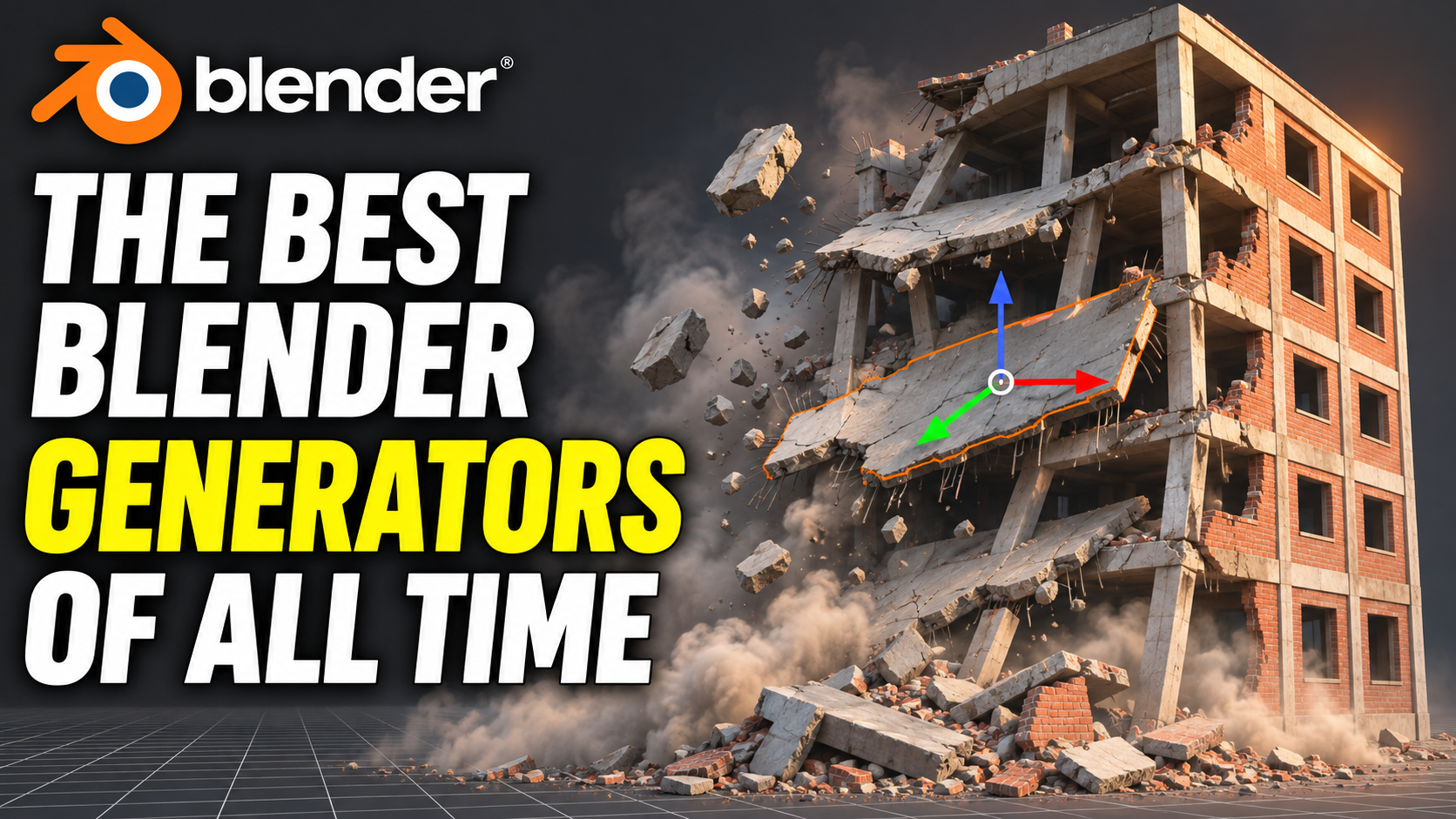




I built a small Houdini-style app called Shatter for procedural destruction. It is nowhere near Houdini, but it already does the one thing I could never get Blender to do properly.
Why I built it
I love Blender. I model in it, I light in it, I render in it. But every time I tried to do real destruction in it, I ended up fighting the tool instead of making the shot.
Breaking a wall properly is not one step. You fracture it, you make the pieces smaller where the hit lands, you glue the pieces together, you decide how strong the glue is, you decide what starts asleep and what is already moving, and then you simulate. After that you add dust, debris and sparks that come from where things actually broke. Every one of those steps depends on the one before it, and you change all of them twenty times before the shot works.
Blender is not built around that kind of work. Cell Fracture bakes the pieces into objects, so going back to change the fracture means starting again. The rigid body tools work per object, the constraints are objects too, and nothing remembers how you got there. Geometry Nodes helped a lot with modelling, but it does not give you a destruction pipeline with glue, a solver and data flowing out of the sim.
Houdini does exactly this, and it is the reason every destruction shot you have seen in a film went through it. I am not going to pretend otherwise. But Houdini is also a big, expensive, deep program, and a lot of Blender artists open it once, see the network, and close it again. I wanted something in between: the Houdini way of working, small enough to learn in an afternoon, sitting next to Blender instead of replacing it.
So I made one. I call it Shatter.
What Shatter is
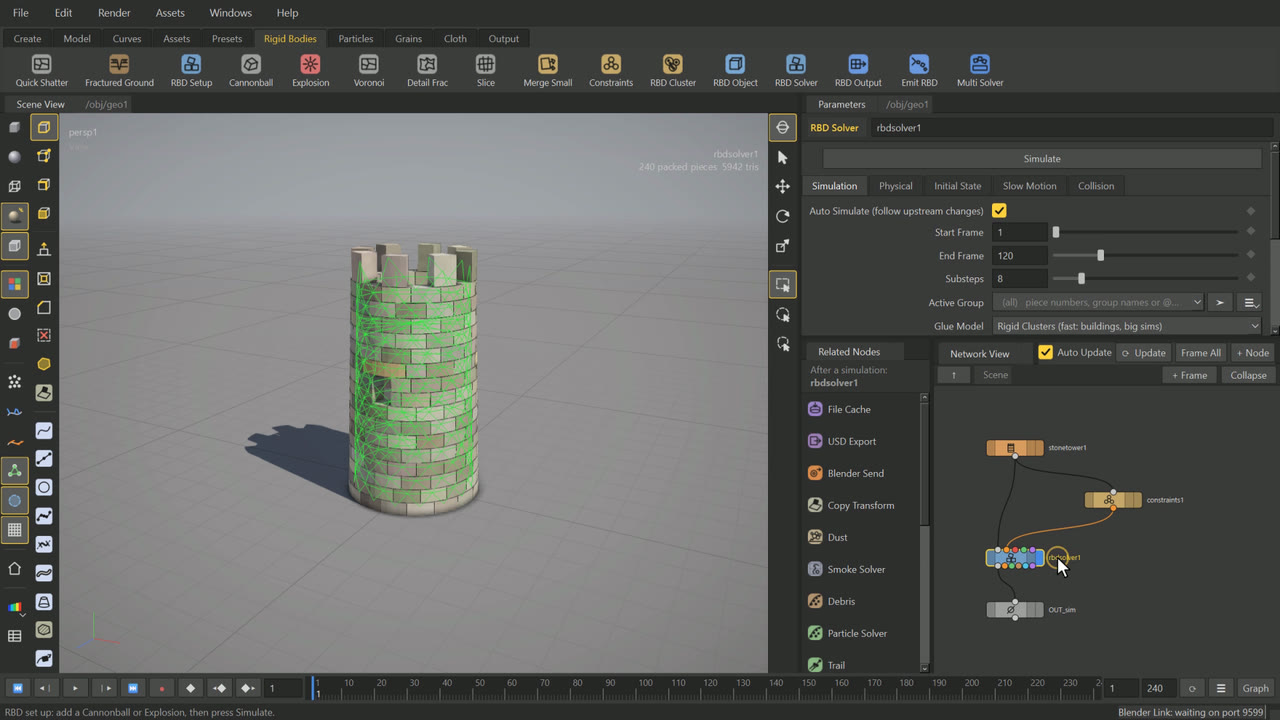
Shatter is a standalone Windows app where everything is a node. If you have used Houdini, the screen will look familiar on purpose.
Around that there is the boring but necessary stuff: undo and redo, a manual cook mode so heavy nodes only update when you ask, crash reports that save your scene, a welcome screen with 21 example scenes, a flipbook, a still renderer and a player.
The Presets tab is the quickest way to see what it does. Select a shape, click Glass, Concrete Wall, Wood, Rock, Ceramic or Ice, and it is fractured the way that material breaks. Click RBD Setup, then Cannonball, then Play.
Under the hood it is Python with NumPy, a Qt interface and an OpenGL viewport. Rigid bodies run on the MuJoCo physics engine, fracturing uses exact mesh booleans, and the grain, particle, cloth and smoke solvers are my own.
How many nodes it has
Shatter has 95 nodes today, including 6 solvers and 2 exporters. Houdini has well over a thousand, so keep that number in proportion. What matters is that these cover one job from start to finish. Here are the main ones:
A few of these deserve a note. The Point Wrangle runs Python snippets over points or primitives, not VEX. The Assets are procedural generators, so a brick wall or a six-storey building is one node with sliders, already split into pieces that know which neighbours they touch. And the Group node is a proper pick list: boxes, spheres, planes, random shares and size filters that add to or subtract from each other.
The destruction pipeline
This is what the app is for, so it is where most of the work went. The pipeline has three stages, and every stage stays live: change the fracture and the glue and the sim follow.
Fracture. There are four ways to cut: Voronoi, Boolean (cut with any closed shapes), Slice, and Detail Fracture, which is the one I use most. Detail Fracture takes targets, which are points, other meshes or curves that say where the break should be dense. Put a target where the cannonball lands and you get small pieces at the impact and big slabs further out, the way real concrete breaks.
On top of the cut you can add Interior Detail (noisy, natural cut faces), Edge Detail (worn, pitted crack lines), and Chips (small bites taken out of the edges, kept as their own pieces). All cuts are exact booleans, so pieces stay watertight and fit each other with no gaps, even after the detail is added. Optimize Mesh then brings the triangle count back down without touching the crack lines.
Glue. The Constraints node builds a network of glue lines between pieces that touch. Strength scales with the contact area, so a big shared face holds harder than a corner. You can add random variation, let glue weaken over time (half-life), or let it wear out under repeated knocks (fatigue). Constraint Properties changes glue on a selection and can be keyframed, so a column can let go on frame 40. RBD Cluster groups pieces into chunks that break off whole and crumble when they land.
Rebar is the one I did not expect to care about and now use everywhere. When reinforced glue cracks, the two pieces stay hooked together by a soft pin. Slabs sag, hinge and dangle instead of flying apart, and with a Bend Angle the joint stays bent like real reinforced concrete until it finally snaps.
Simulate. Pieces and glue go into the RBD Solver. It simulates as you scrub, restarts when anything upstream changes, and hands back six outputs: the pieces, the remaining glue coloured by stress, the collision shapes, the exposed rebar, the points where glue just broke, and every hard impact with its force. Those last two are what drive dust, debris and sparks.
Progress on the RBD solvers
The rigid body side has moved the most, and it is where the newest work is.
The RBD Solver has two glue models. Stress treats every piece as its own body and every glue line as a weld that breaks when the force through it is too high. It is accurate, glue even fails under plain weight, but it gets slow and springy on big structures. Rigid Clusters simulates glued pieces as one rigid body, so an intact building costs almost nothing and cannot wobble. Only what has broken off is simulated. It also checks whether what is still standing can carry the weight above it, so a damaged building comes down floor by floor instead of hovering.
Around the solver there is what you need for a shot: animated colliders, pieces that follow their input animation until a release frame, launch velocities for thrown objects, and slow motion between two frames with smooth ramps that the particles follow too.
This month I rebuilt how objects are described and fed to the solver:
It is not finished. The Stress model needs to get faster, simple shapes on jagged fracture pieces still scatter more than they should, and I want the cluster solver to follow animated pieces, which it cannot do yet.
Particles, grains and forces
A wall that breaks with nothing coming off it looks like a video game from 2005. The secondary stuff sells the shot, so Shatter has several systems for it.
Particles. The Particle Solver is a simple POP-style solver. Particles are born on a surface or at points, fall, feel drag and turbulence, and bounce, stick or die where they land. The useful trick is the source: wire in the RBD Solver's Break Points and every crack throws dust the way the pieces were moving. Wire in the Impacts output with a force threshold and you get sparks only at the hard hits. Particles can take the colour of the wall they came from, and a Trail node turns them into streaks. There are presets for sparks, snow and rain.
Debris. The Debris node reads the same impacts and throws small procedural chunks: brick, concrete, stone, wood chips or metal. They tumble, bounce and go to sleep once they have settled, so a pile of rubble costs nothing.
Grains. This is sand, gravel and soil as many small balls. Grain Source fills a closed shape with grains. The Grain Solver gives them friction, so sand piles up at an angle instead of flowing flat like water, and a Clumping setting for wet sand. Grain Cluster groups grains into clods that tumble as chunks, split where they hit and crumble into loose grains. Grains collide with static or moving geometry, including the pieces of a rigid body sim, so a boulder can plough through a sand heap.
I have to be straight about the grains. The solver is written in NumPy with no compiled core. It has every trick I could find to stay usable, like sleeping piles and neighbour lists that are kept between steps, but it is the slowest part of the app: tens of thousands of grains are comfortable, hundreds of thousands are a coffee break. The coupling is also one way: rigid bodies push grains, grains do not push back.
Forces. One Force node covers explosion, wind, turbulence, drag, spiral, vortex and per-point pushes, with a gizmo in the viewport for position, direction and radius. Curve Force pushes things along, toward or around a curve you draw, which is how you get debris swirling along a path. Forces have a start and end frame, so an explosion is a force that lasts one frame, and they can be limited to a selection of pieces.
The Blender bridge
Shatter is not trying to pull you out of Blender. You keep modelling, animating, shading and rendering there. Shatter only takes the part Blender is bad at, and a live link carries the data both ways.
The link is a Blender add-on called Shatter Link, for Blender 4.2 and newer. It adds a Shatter tab to the sidebar. One batch file in the package installs it.
Blender to Shatter. Press Connect, add objects to the Linked Objects list, and press Send. They show up in Shatter in a Blender Object node, by name. Shatter is Z-up like Blender, so nothing gets turned on its side. Turn on Auto Send and every edit you make in Blender arrives by itself.
Animation comes along. Anything animated in Blender, whether by keys, parents, constraints, armatures or shape keys, is sent as a transform per frame, plus the points per frame when the mesh deforms. So a character rigged in Blender can walk into a wall in Shatter as an animated collider, on the same frame numbers. UVs come along too, and every Blender object becomes its own piece with its name attached, so you can select @name=Wall* anywhere a node asks which pieces it applies to.
Shatter to Blender. The Blender panel lists Shatter's export nodes. Press Fetch and the simulation is written to a USD cache and loaded into a collection in your Blender scene. Fetch again after a change and the collection is replaced in place, so your scene never fills up with old versions. With Auto Fetch on, every export in Shatter appears in Blender by itself.
The Blender Send node decides how it arrives: one Blender object per piece with animated location and rotation, or a single mesh that plays back through a Mesh Sequence Cache. Pieces come back with their names, and you choose which attributes, materials and UVs make the trip. Smoke from the Smoke Solver arrives as an OpenVDB volume.
The round trip is the whole idea. Model the building in Blender, send it over, break it, fetch the result, and render it in Cycles next to everything else in your shot.
What it is not
The title says clone, so let me be clear about how far that goes. Shatter copies Houdini's way of working. It does not come close to Houdini's reach, and it will not replace it on a production.
If you already know Houdini and have a licence, keep using it. This is for the Blender artist who wants to break a building properly this weekend, and maybe learn how the procedural way of thinking works along the way. Almost everything you learn here carries over if you move up to Houdini later: fracture then constrain then solve, pieces and attributes, groups, display flags, reading data off a sim.
What comes next
The list is long, so here is what is at the top of it.
RBD solvers. Make the Stress glue model faster on big structures. Let the Rigid Clusters model follow animated pieces. Make simple collision shapes behave on jagged fracture pieces. More constraint types beyond glue: hinges, springs and soft constraints, so doors swing and cables hang.
Grains. This is the system I most want to rework. A compiled core, so the grain count goes up by a lot. Two-way coupling, so a pile of sand can stop a rolling boulder instead of only being pushed by it. Better wet sand and snow.
Forces. Forces driven by attributes and noise fields, forces that follow moving objects, and a visualizer that draws the field in the viewport so you can see a force before you simulate it.
Plug-and-play nodes. This is becoming the core of the project. I do not want you to build everything from small parts. I want nodes that do a whole job with a few sliders. The first ones are in: Fractured Ground gives a surface thickness, fractures it in layers that get bigger with depth, and can pull the deep layers apart, push them up or let them collapse as animated colliders, with presets like rift, separation and collapse, and debris coming off them. Dust comes with ready-made looks, and Spread lays out points and objects for you. More of these are coming.
Solvers. The Smoke Solver and the Cloth Solver are both new and both simple. They need to grow up: finer smoke, faster cloth, and cloth that tears.
Features. Recent projects in the File menu. A direction gizmo for launch velocities instead of three sliders. Influence sliders on the attribute nodes. Further out: a for-each loop, saving a subnetwork as a reusable asset, and Mac and Linux builds.
The Blender bridge. Support Blender curve objects and remember linked objects after Blender is closed, so a fetched sim arrives ready to render with less setup.
None of this has a date on it. I work through it in the order that the people using it ask for.
Try it
The full video is at the top of this post, and you can also watch it on YouTube.
The build is a single zip of about 150 MB for Windows 10 or 11. Unzip it, double-click Shatter.exe, and there is nothing to install. The welcome screen opens with 21 example scenes: a boulder through a building, a cannonball through a wall, a bridge collapse, sand pouring into a silo, and the new RBD emitter. Open one and press Play. The Blender add-on is in the same folder.
It is early. Things will break, and not always the things you wanted to break. When it crashes it writes a report with your scene saved beside it, and sending me that report is the most useful thing you can do. Tell me which node you reached for and could not find. That list decides what I build next.
It is nowhere near Houdini. But it is a real start, and if Blender's destruction tools have been driving you up the wall, I think you will like knocking one down in this.