

If you look at the Blender interface, you’re looking at a masterpiece of open-source engineering, but you’re also looking at a canvas that is perpetually "under construction." This is where the Blender Add-on Ecosystem breathes. It’s a wild, beautiful economic structure—a digital bazaar where seasoned developers, frustrated artists, and code-savvy enthusiasts collide. In this space, the "do-it-all" artist is a myth. Most of us don't have the 10,000 hours required to master every niche of the 3D pipeline, and the ecosystem knows it. It’s built on the backs of creators who saw a gap—a missing button, a tedious workflow, or a complex simulation—and bridged it with Python scripts.
This isn’t just about downloading a tool; it’s an entire economy that has allowed artists to stake their personal livelihoods on the software. On platforms like the Blender Market or Gumroad, you’ll find developers who have turned a simple productivity hack into a full-time career, feeding their families by solving the very headaches that make the rest of us want to throw our monitors out the window. It’s a cycle of mutual survival: the developer gets to innovate, and the artist gets to stay sane.
Example: Take a look at HardOps and BoxCutter. This legendary duo didn't just add a few buttons; they redefined the entire philosophy of hard-surface modeling in Blender, turning complex Boolean operations into a workflow so fluid it feels like digital sculpting with a scalpel.
Standing on the Shoulders of Giants

The concept of extending software isn't some new-age Blender invention. Long before the "Add-on" tab existed in our preferences, the design industry was being carried by plugins. Think back to the early days of Photoshop and After Effects; the latter would be practically unrecognizable without the Trapcode Suite—specifically Particular—which basically became the industry standard for organic particle effects. In the world of high-end 3D, 3ds Max had its own titans like RayFire for destruction or Forest Pack for massive scattering. Even Cinema 4D artists swear by X-Particles, and Houdini, despite being a procedural playground, relies on custom digital assets to tame its complexity.
Blender has simply taken this "plugin" culture and democratized it, turning what used to be expensive, corporate-level extensions into accessible, community-driven tools. Triple-A studios were the first to make this work by building their own custom tools on top of software, employing Technical Artists specifically to bridge the gap between code and canvas. Today, you don't need a full-blown studio department to get those results; you just need to browse the marketplace.
Example: If you've ever needed to populate a forest in seconds without your CPU exploding, Geo-Scatter is the gold standard. It takes the complex math of distribution and turns it into an artist-friendly playground that rivals specialized scattering tools in much more expensive packages.
The Speed of Development vs. The Speed of Production
One of the biggest "secrets" behind the popularity of add-ons is the reality of the Blender development cycle. The Blender Foundation is incredible, but they play the long game. They are focused on core architecture—the "plumbing" of the software—which means big, flashy features can sometimes take years to move from a proposal to a stable release. Production cycles, however, wait for no one. If you have a client deadline on Friday, you can’t wait for an "eventual" solution for better UV packing. You need a solution now.
Add-ons function as the "Special Ops" of software development. While the core team is building the foundation, add-on developers are the ones building the furniture and painting the walls. They can pivot in a week, release a patch in an hour, and address hyper-niche needs that the core team simply doesn't have the bandwidth for.
Example: For anyone who has lost hours to the "checkerboard nightmare," UV Packmaster is a godsend. It uses custom algorithms—even GPU acceleration—to pack islands with an efficiency that native Blender simply can't match, saving literal days of texture space optimization.
The Specialist’s Secret Weapon
If the add-on ecosystem is a digital bazaar, then the niches are the high-end boutiques where the real magic happens. This is where Blender transforms from a "jack-of-all-trades" into a master of specific industries. Take ArchViz and environment design; the botanical side of 3D used to be a death sentence for your RAM, but now it’s a playground. We’ve moved past the days of manually placing every blade of grass; now, we have engines within engines that handle the heavy lifting.
But nature isn’t just about static trees; it’s about movement and life. The VFX and Simulation niche has exploded. Native Blender simulations are powerful but can be notoriously finicky, so add-ons have stepped in to provide "studio-grade" stability. Whether you're splashing liquid or trying to simulate a massive crowd, these solvers give you the granular control over physics and flow that high-end clients demand.
Example: If you want to make a splash—literally—FLIP Fluids is the gold standard for liquid simulation in Blender. To fill those scenes with life, Population and Alpha Tree have changed the game; one lets you paint realistic crowds into your scene, while the other uses clever "alpha" tricks to let you render thousands of high-quality trees without your computer catching fire. And for the vegetation itself? Botaniq offers an optimized, render-ready library that looks stunning without killing your viewport.
Character Wizards and The Rigging Revolution
Moving into the world of Character Art, the manual labor of 3D is being dismantled brick by brick. For years, rigging was the dark art that everyone feared—one wrong weight paint and your hero looks like a melted candle. The ecosystem responded by creating tools that act as a bridge between the artist’s vision and the technical skeleton. We are now in an era where you don't "rig" a character; you "apply" a professional-grade system to it.
Example: Auto-Rig Pro has become the industry’s "unofficial" standard for a reason. It turns the technical nightmare of rigging into a streamlined, automated process that handles everything from humanoids to quadrupeds, ensuring your animations are production-ready in a fraction of the time.
Conclusion: The Future is the "Director's" Workflow
In today's climate, this speed isn't just a luxury; it’s a defense mechanism. We’ve all seen the rise of Generative AI. While AI can spit out an image in seconds, it still struggles with the precision, editability, and consistency of a true 3D workflow. Add-ons are the only viable way for human artists to compete. By automating the "boring" parts—the rigging, the retopology, the lighting setups—you aren't just a "laborer of vertices" anymore; you become a "director of tools."
And the future? It’s already here. We are seeing a new wave of "AI-integrated" add-ons that use language models to let you describe your scene, helping you write complex Python scripts or generate procedural assets on the fly. These tools don't replace the artist; they turn the artist into a conductor. By combining the massive power of the Blender ecosystem with the intelligence of modern AI, you aren't just making a scene—you’re building an entire production house on your hard drive. The "Add-on first" philosophy is more than a trend; it's the survival strategy for the modern digital creator.
all feature addons
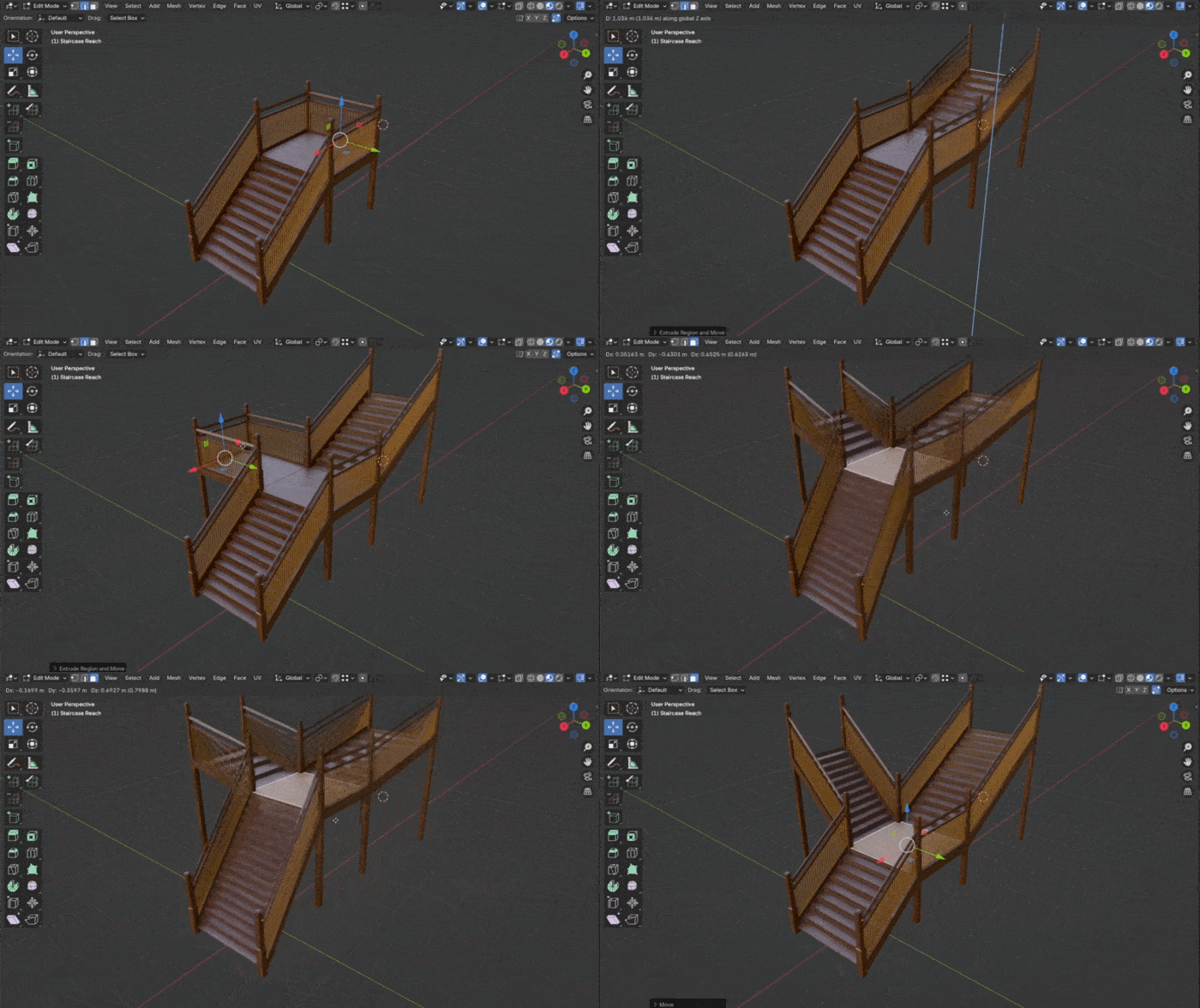
featured addons: staircase generator: https://superhivemarket.com/products/staircase-generator?ref=311
hardops: https://superhivemarket.com/products/hard-ops--boxcutter-ultimate-bundle?ref=311
Djh petrify geometrynodes library:https://superhivemarket.com/products/djh-petrify?ref=311
procedural river:https://superhivemarket.com/products/procedural-river--stream-generator---geometry-nodes?ref=311
castle generator: https://superhivemarket.com/products/procedural-medieval-castle-generator?ref=311
human generator: https://superhivemarket.com/products/humgen3d?ref=311
generator bundle:https://superhivemarket.com/products/bp-geogen-ultimate-generators-bundle?ref=311
ornament generator: https://superhivemarket.com/products/ornament-generator?ref=311
the city generator: https://superhivemarket.com/products/the-city-generator?ref=311
text pro: https://superhivemarket.com/products/textpro?ref=311
geo scatter: https://superhivemarket.com/products/scatter?ref=311
tearpainter: https://superhivemarket.com/products/tear-painter?ref=311
uv unpack master: https://superhivemarket.com/products/uvpackmaster?ref=311
flip fluids:https://superhivemarket.com/products/flipfluids?ref=311
botaniq: https://superhivemarket.com/products/botaniq-trees?ref=311
rbdlab: https://superhivemarket.com/products/rbdlab?ref=311
icrowds: https://superhivemarket.com/products/icrowds?ref=311
true image editor: https://superhivemarket.com/products/true-image-editor?ref=311
true depth: https://superhivemarket.com/products/truedepth?ref=311