The Nintendo Switch runs on a mobile chip from 2015. It's basically the guts of an old tablet. And on that chip, The Legend of Zelda: Breath of the Wild renders a huge open world with grass blowing in the wind, dynamic weather, a full day and night cycle, and mountains you can see from miles away. At 30 frames a second. In your hands.

Nintendo Switch. Photo by Evan-Amos, Wikimedia Commons (public domain).
The PlayStation 4 came out in 2013. On that box, The Last of Us Part II, Red Dead Redemption 2, and Ghost of Tsushima deliver some of the best-looking images ever put in a game. Soft shadows, glossy reflections, bounced light, thick fog rolling over the hills.

PlayStation 4. Photo by Evan-Amos, Wikimedia Commons.
Image: Side-by-side gameplay shots of Breath of the Wild, Red Dead Redemption 2 and The Last of Us Part II. Use your own captures or the publishers' official press kits.
And you don't even need a console. Counter-Strike, Half-Life 2, and countless indie games run smoothly on PCs that are ten years old, laptops with no graphics card at all.
Now open Blender on your modern machine with a powerful GPU. Set up one room. Add some fog. Hit render. Seconds per frame in Eevee. Minutes in Cycles.


The same scene rendered in Cycles (path tracing) and in Eevee (rasterization). Wikimedia Commons.
The usual answer is "Cycles is a path tracer and games aren't." True, but Eevee isn't a path tracer either. It's a rasterizer, the same basic technique games use, and it still can't keep up with a console from 2013.
So why are games so much faster than 3D apps?
3D apps are actually fast
Here's the thing nobody tells you. 3D apps aren't slow. Not even close.
There are videos on YouTube of people playing actual video games inside Blender. Characters running around, physics, enemies, the whole thing, right there in the viewport. And Blender doesn't struggle at all.
Blender even had its own game engine built in for years, the Blender Game Engine, until it was removed in Blender 2.80. People still make games with UPBGE, a community fork that keeps it alive. Back in 2008, the Blender Foundation even released a full game called Yo Frankie!
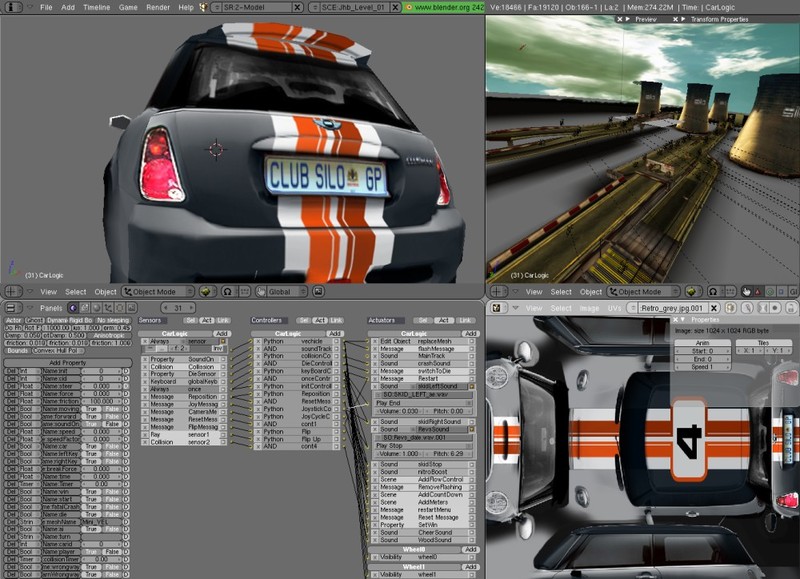

Games running in the old Blender Game Engine (Blender 2.42). Wikimedia Commons.
You can try this yourself. Take a game-ready asset, a low-poly model with baked textures, and drop a whole scene of them into the Eevee viewport. It spins around smoothly in real time, just like a game.
Image: Your own capture of a game-ready scene orbiting smoothly in the Eevee viewport, with the FPS overlay visible.
So the speed is already there. Blender's viewport is a real-time renderer. The problem was never the app.
The real difference is what we ask it to do. When you hit render in Blender, you're asking for a perfect frame, made from scratch, from assets that were never optimized. A game asks for a good-enough frame, built on hours of preparation, using every shortcut it can find.
Let's go through those shortcuts one by one.
3. Games reuse frames. Renders start from zero.
When Eevee renders a final frame, it doesn't draw the scene once. It draws it many times. Each sample shifts the camera, the shadows, and the light by a tiny amount, and Eevee averages them all together. That's how you get soft shadows and clean edges. Sixty-four samples means drawing the scene sixty-four times.
Then it moves to the next frame, throws all of that away, and starts again from zero.
A game can't afford that. At 60 frames a second it has about 16 milliseconds for each frame. So it draws the scene roughly once, at lower quality, and borrows the rest from the frames that came before.
This is called temporal accumulation. The noisy shadow in this frame gets blended with the shadow from the last frame, and the one before that. In a fraction of a second, the noise smooths out. The game spreads the cost of those sixty-four samples across sixty-four frames instead of paying it all at once.
That's also why games ghost and smear when things move fast. That smear is the price of the shortcut.
And the funny part is that Blender already does this too. Stop moving the camera in the Eevee viewport and watch the image clean itself up over a second or two. Same trick. But for a final render, every frame has to stand on its own.
Image: Two captures from the Eevee viewport: a noisy first frame, then the clean image a second later.
4. Volumetrics: the clearest example
If you want to see the gap at its worst, add fog.
In Cycles, volumetrics are brutal. Every ray has to march through the volume step by step, scattering and absorbing light along the way. Turn on volumes and watch your render time multiply.
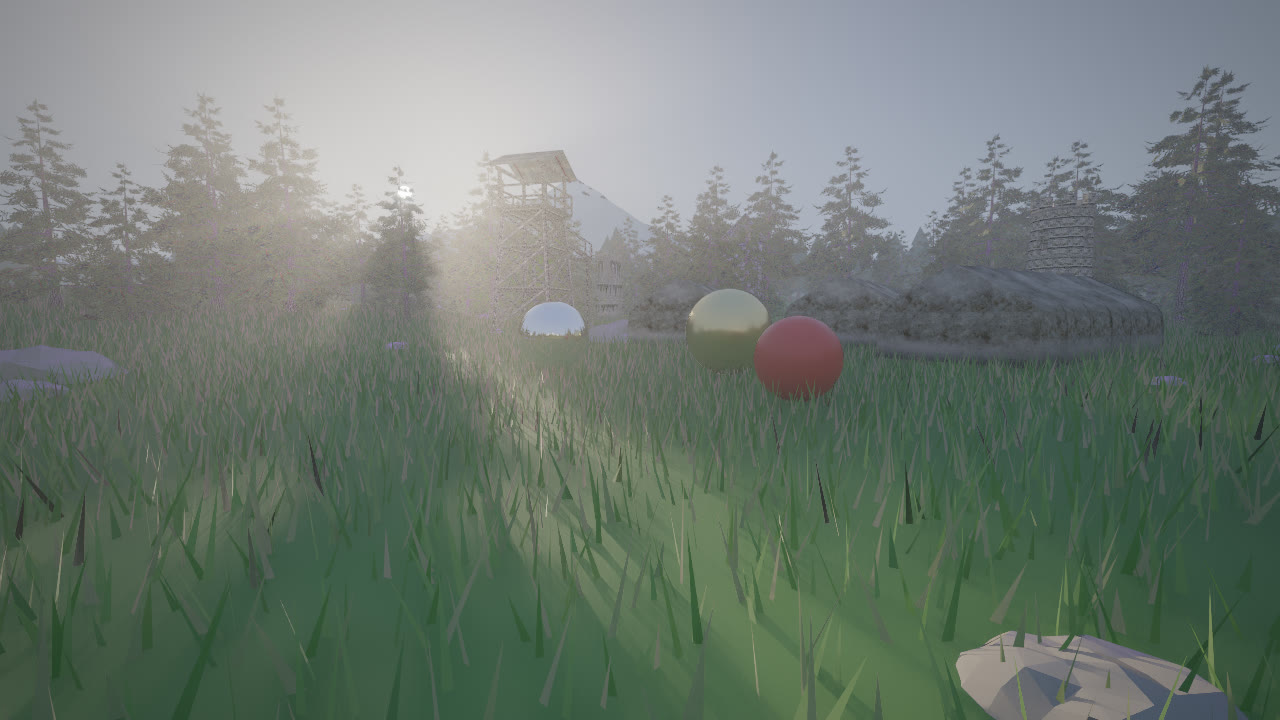
Now look at Red Dead Redemption 2. Morning mist over the swamps, dust in the air, god rays through the trees. On a PS4. How?

Real god rays through mist, the effect games fake with volumetric fog. Photo by Brocken Inaglory, Wikimedia Commons (CC BY-SA 3.0).
Most games split the view into a low-resolution 3D grid that follows the camera. Each little cell stores a rough amount of light and fog density. The game fills that coarse grid, blurs it, and blends it with previous frames. Fog is soft by nature, so you never notice it was calculated at a tiny resolution.
Image: Simple diagram of the camera view split into a coarse 3D grid of fog cells. Make this yourself in Blender.
Eevee actually uses a very similar grid approach. So again, the technique isn't the problem. The problem is that when you raise the volumetric samples and resolution to get a clean final frame, you pay that full cost on every single frame, with nothing carried over from the last one.
The game pays a little bit, every frame, forever. Eevee pays everything, every frame, from zero.
5. Games bake. And often they bake in 3D apps.
The next big trick is doing the work before anyone presses play.
In a lot of games, the lighting you see was calculated hours or even days earlier, on a developer's machine. Bounced light gets baked into textures called lightmaps. Reflections get captured into probes. Fine surface detail from a million-polygon sculpt gets baked into a normal map on a low-poly model. When you play, the game is mostly looking things up, not calculating them.
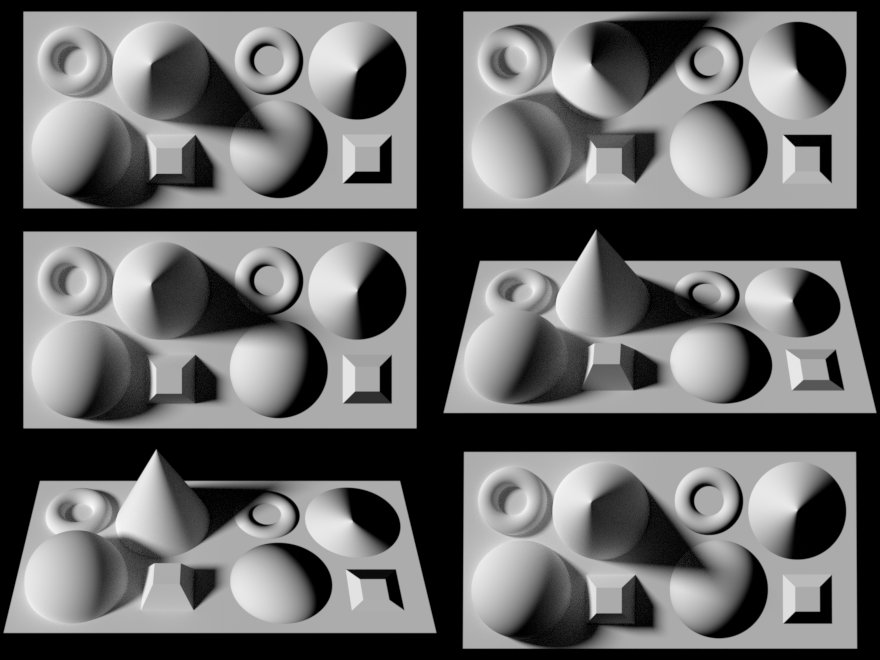
Real geometry (left) vs. a flat plane with a baked normal map (right). By Pac72, Wikimedia Commons (CC BY-SA 4.0).
Mirror's Edge from 2008 is a famous example. Those bright, clean rooftops with soft bounced light look great even today, and almost all of that lighting was baked ahead of time.
Image: Mirror's Edge rooftop. Use your own capture or EA's official press images.
And here's the twist again. Where do a lot of those bakes happen? In 3D apps. Artists bake normal maps and lighting in Blender, Maya, and Substance all the time. The slow, heavy calculation still happens. It just happens once, in a 3D app, before the game ever ships.
That works because a game ships a finished world. The walls don't move. The sun stays where the level designer put it. So the expensive answer only needs to be calculated once.
A Blender scene is never finished. You can move a light, sculpt a mesh, or swap a material at any second. Anything Blender pre-computed would be wrong the moment you touched the scene. That's not a weakness. That's the whole point of a 3D app. It's a tool for making things, not a player for things already made.
6. Games render less
So what about Zelda's huge open world on a tablet chip? Surely that's a lot to render.
It would be, if the game rendered it. It doesn't.
Anything behind you isn't drawn. Anything hidden behind a wall or a mountain isn't drawn. That castle in the distance is a low-detail version with a tiny fraction of the polygons, swapped in automatically. Far-away trees can be flat cards. Textures in the distance load at low resolution, or don't load at all until you walk closer.


The same scene at full detail and with LODs: 2.3 million vertices vs. 109,000, with almost no visible difference. From Wikipedia's Level of detail article.
A lot of games don't even render the full screen. Many Switch games run below 1080p and scale up the image, often changing resolution on the fly when the action gets heavy. The Witcher 3 and Doom on Switch are famous for this. They look blurry next to the PC versions, but they run. On PC, upscalers like DLSS and FSR do the same thing with smarter math, and some games even generate whole in-between frames.
Image: Your own crop comparing a Switch screenshot with the PC version of the same scene.
The world is huge. What's actually on the GPU at any moment is tiny.
Blender does some of this, but much more carefully. When you hit render, it mostly draws exactly what you gave it, at exactly the resolution you asked for.
7. Fixed hardware and a budget
There's one more advantage games have, and it's a big one. They know exactly what they're running on.
A PS4 is a PS4. Every single one has the same chip, the same memory, the same everything. So the developers of The Last of Us Part II could tune every shader, every texture, and every effect for that one machine, for years. The same goes for Nintendo with the Switch. When you only have one target, you can squeeze out performance that looks impossible.
And every asset is built to fit. A character gets a polygon limit. A level gets a memory limit. Artists optimize, retopologize, and bake down detail before anything reaches the engine. The whole team works backward from those 16 milliseconds.
A 3D app has no budget. It has to handle whatever you throw at it, on whatever machine you own. A ten-million-polygon sculpt. A kitbash with four hundred materials. A scene you downloaded five minutes ago and never looked at.
A game is a race car built for one track. A 3D app is a truck that has to drive anywhere you point it.
8. The payoff: work like a game dev
So can a 3D app render like a game? Yes, and it already proves it every time someone plays a game inside Blender. But only if you work the way game developers work.
That means optimizing your assets with decimation and LODs, and baking high-poly detail into normal maps instead of rendering millions of polygons. It means baking the lighting in scenes where nothing moves, and leaning on Eevee's light probes so it doesn't have to solve everything live. It means keeping volumetrics coarse and adding detail in compositing. And it means rendering at a lower resolution and upscaling when nobody will notice the difference.
And here's the final proof that the speed comes from the tricks, not the software. Unreal Engine has a cinematic mode for films and trailers, the Movie Render Queue. To get clean final frames, it renders each frame many times and combines the results, and lets you switch on quality settings that are too heavy for real time.
Image needed: screenshot of the Movie Render Queue anti-aliasing settings (spatial and temporal sample counts) from your own Unreal project.
What happens to the speed? It slows right down. Seconds per frame, sometimes minutes. Just like Blender.
The moment a game engine stops cheating, it starts rendering like a 3D app.
9. Closing
The line between the two is getting blurry. Games are adding real ray tracing and slowly moving toward path tracing. Blender's newer Eevee keeps borrowing tricks from games. A few years from now, the gap might mostly disappear.
But for now, the answer is simple. Games aren't faster because their software is better. A Switch isn't smarter than your PC, and Unreal isn't smarter than Blender. Games are fast because they prepare everything in advance, reuse everything they can, and skip everything you won't notice.
Games aren't faster renderers. They're better liars. And honestly, that's a compliment.